
As someone who has built multiple online businesses on the foundation of digital products, I’ve developed a simple, non-negotiable filter for any new tool or course: does it address the actual bottleneck, or is it just optimizing a step that doesn’t matter?
The digital printables space is a perfect example of misplaced effort. The market is flooded with advice on “winning Canva tricks,” “trending color palettes for Etsy,” and “AI prompts for virality.” Creators spend endless hours making beautiful, visually complex planners and trackers. And then they’re met with crickets, low conversion, or worse – a handful of sales followed by confused customer emails and refund requests.
The problem is rarely the design. It’s the usability.
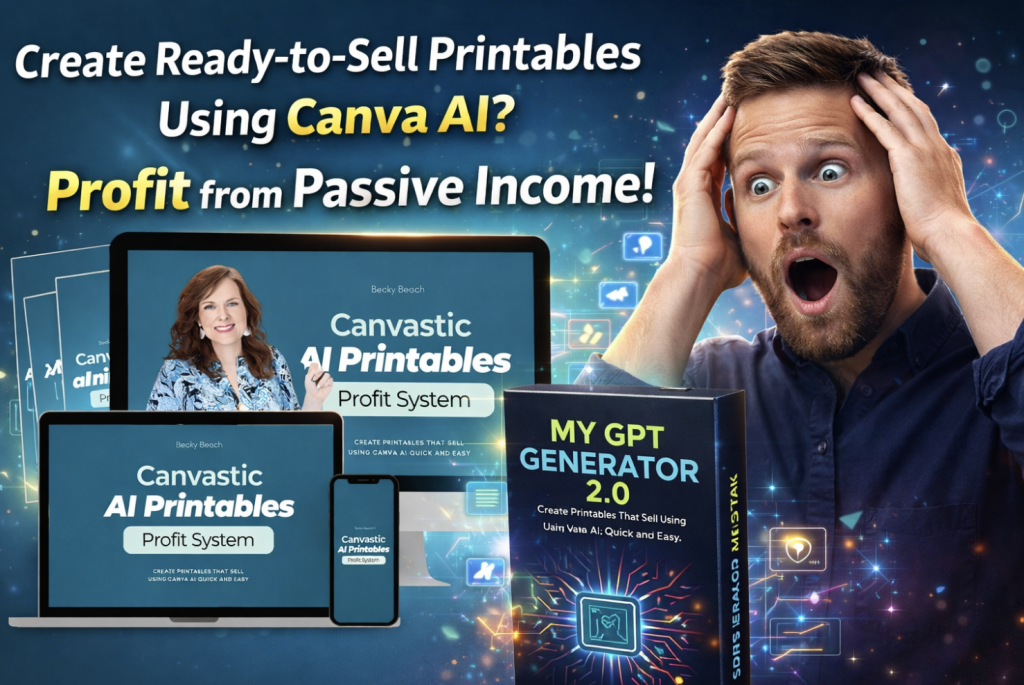
When I came across the Canvastic AI Printables Profit System, created by former corporate UX designer Becky Beach, I was immediately intrigued by its premise. It wasn’t the *n*-th course on Canva AI features. Its core argument was this: “Pretty doesn’t sell. Usable sells”. This directly challenged the prevailing “aesthetics-first” mindset and promised to teach a system that leveraged Canva AI for speed, but prioritized User Experience (UX) for profit.
I decided to test it, not to find a “get-rich-quick” scheme, but to see if it provided the missing framework that turns a digital file into a genuinely valuable, low-friction product. Here’s my grounded, experience-based assessment.
Beyond Features: The Core Value Proposition
Let’s be clear upfront: Canvastic AI is not a software. It’s a methodology and training system. Its value isn’t in revealing a secret button in Canva; it’s in restructuring how you think about the entire creation process.
The Traditional Path (The Broken Loop):
- Idea -> Open Canva -> Focus on Aesthetics -> Endless Tweaking -> Export & Hope.
The Canvastic AI Framework (The System):
- Idea -> Structured AI Prompting -> UX-Centric Design Refinement -> Value-Based Packaging -> Systematic Launch.


The shift is profound. Module 4 on “Creating with Canva AI” teaches you to command the AI with precision for structured outputs. But the true cornerstone is Module 5: “User Experience & Design That Converts.” This section alone can transform your business. It moves you from asking “Does this look good?” to asking:
- Clarity: Will a user understand this product’s purpose in 3 seconds?
- Flow: Is there a logical, guided path through the worksheet or planner?
- Cognitive Load: Have I removed every decorative element that doesn’t serve a functional purpose?
- Practicality: Are the writing spaces actually functional for a pen or typed text?
This focus on the end-user’s experience is what reduces support requests, justifies higher prices, and builds a reputation for quality that drives repeat sales.
Hands-On Application: From Theory to Tangible Product
To test the system, I applied it to create a “Digital Detox & Focus Sprint Planner”, a product idea I’d had but never executed well.
My Process with the Canvastic AI System:
- Guided Ideation & Prompting: Instead of a blank page, I started with the prompting principles from the course. My prompt to Canva’s Magic Design was specific: *”Generate a US Letter, portrait layout for a 7-day digital detox planner. Include three distinct, clearly labeled sections per day: 1) Screen Time Log, 2) Priority Focus Block, 3) Evening Reflection. Use a clean, monochromatic theme with high readability.”*
- The AI Draft: The generated layouts were coherent starting points. They had clear section divisions and sensible spacing – a massive head start that saved me the initial 60-90 minutes of layout wrestling.
- The UX Refinement Phase: This was the transformative step. Following Module 5, I edited ruthlessly for usability:
- I increased font sizes and line spacing for readability.
- I added subtle numerical indicators (Day 1, Day 2) and very light visual guides to lead the eye.
- I removed three “nice-looking” but purely decorative graphic elements that added clutter.
- I ensured every box meant for writing was realistically sized.
- The Outcome: The final product was less “Instagram-pretty” than my old designs but felt infinitely more professional and valuable. It was clearly a tool built with intention. Writing the product description became easy because I could articulate the benefit of the UX: “Reduce overwhelm with our intuitively structured planner, designed for clarity and action to help you reclaim focus.”
The bonus “Canvastic AI Prompt Creator GPT“ became an invaluable sidekick, helping me quickly refine prompts for future products.
A Balanced Breakdown: The Strengths and Limitations

Pros (Where It Delivers Exceptional Value):
- UX is the Foundation: This is the critical, often-ignored piece of the digital product puzzle. The course makes it accessible and actionable.
- Actionable AI Integration: It moves beyond “look what AI can do” to “here’s how to make AI work for your specific product goals.”
- Holistic Business Lens: Covering pricing (value-based, not competitor-based), sales systems, and delivery automation ensures you’re building a real business asset.
- Instructor Credibility: Becky Beach’s background in UX for major corporations and her own seven-figure digital product success lends authentic, practical authority.
- High-Utility Bonuses: The Prompt Creator GPT and ready-to-customize Canva templates (like the Etsy mockup) provide immediate, practical tools.
Cons (What You Should Be Aware Of):
- Requires Canva Foundation: You need to be comfortable with Canva’s basics. This is not a beginner’s guide to the interface.
- Demands Implementation: The value is 100% correlated to your effort in applying the framework. It’s a blueprint, not an autopilot.
- Specific Niche: The examples and direct applications are for printables, planners, templates, and low-content books. The principles are universal, but the context is specific.
- Digital Product Policy: As with most training that includes sellable assets (the templates), all sales are final with no refunds.
Pricing, Audience, and Your Smart Next Move
Priced at a one-time fee of $27 for the core system, the investment is a logical one for the right person. You’re not buying information; you’re buying a corrective lens for your entire creative process.
This system is a perfect fit for:
- The Canva-fluent creator who sells printables but feels stuck in a competitive, lookalike market.
- Coaches, consultants, and online service providers who need to create exceptional, signature client tools (workbooks, worksheets) that enhance their perceived value.
- Meticulous creators who are disillusioned by the “low-quality” feel of generic AI outputs and want to inject genuine, thoughtful utility.
- Anyone who has bought other courses full of tips but lacks a cohesive, repeatable system for product creation.
You might want to skip this if:
- You are an absolute beginner to Canva and need to learn the absolute basics first.
- You are seeking a purely passive, hands-off income stream with no ongoing creative or strategic input.
- Your belief is that ornate, highly decorative designs are inherently superior and you’re not open to a minimalist, function-first philosophy.
A Note on the OTOs/Upsells: The offer includes several one-time offers (OTOs) for expanded training, DFY products, and coaching. My review and this recommendation are strictly for the core Canvastic AI Profit System. This front-end course is comprehensive. Only consider the upsells if, after mastering the core system, you identify a specific, advanced gap they fill.
- OTO1: Printables Shop Academy Grab The Early Bird Offer
- OTO2: DFY PLR Products Grab The Early Bird Offer
- OTO3: AI-Powered Pinning Grab The Early Bird Offer
- OTO4: AI-Powered Spreadsheets Grab The Early Bird Offer
- OTO5: Group Coaching With Becky Grab The Early Bird Offer
Final Verdict: A Confident Recommendation for Systematic Creators
In a market saturated with superficial advice, Canvastic AI Printables Profit System stands out for its depth and strategic focus. It correctly identifies that the biggest lever for profit in the digital printables space is not more advanced design skills, but fundamental product-thinking skills.
It replaces creative insecurity with user empathy. It transforms Canva AI from a fascinating toy into a powerful, directed drafting assistant within a larger system. It provides the calm, structured path from a fleeting idea to a finished product that works – for you and your customer.
If you are serious about building a reputable, sustainable digital product business that thrives on quality, reduced support, and customer loyalty, this course provides the essential framework most creators are missing. It will save you time on the front end and save you countless headaches on the back end.
You might also like our roundup of the Best Image/Video AI Tools here!