
I am not a developer. I am a marketer and a freelancer who uses tools to get work done faster.
So when I first heard about OpenClaw earlier this year, I was excited. An autonomous AI agent that can browse the web, send emails, write reports, and delegate tasks? That sounded like a dream for my workflow.
I decided to set it up myself.
That weekend was a nightmare.
I watched four YouTube tutorials. I rented a VPS. I tried to understand Docker. I copied and pasted commands into a terminal that I did not understand. And after fourteen hours of troubleshooting error messages that meant nothing to me, I gave up. My OpenClaw never even responded to a single message.
I told myself that AI agents were not ready for normal people. They were for developers and Linux experts. I moved on.
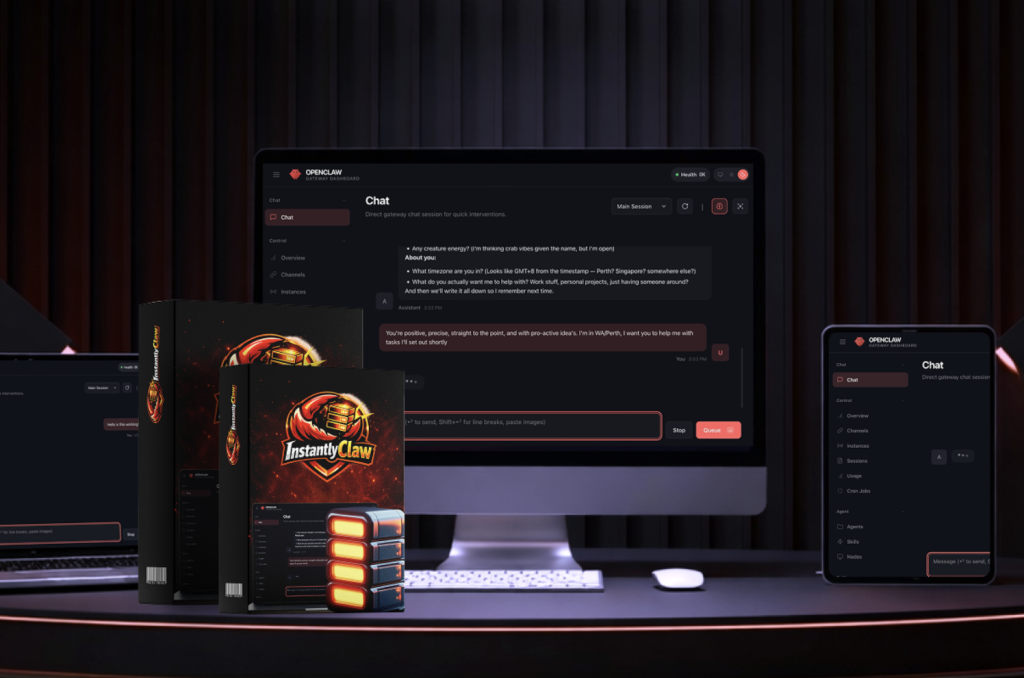
Then, a few days ago, I saw a product launch that caught my attention. The product was called InstantlyClaw. The pitch was simple and honest: “OpenClaw is powerful. But the setup is broken. We fixed the setup. One click. Sixty seconds. Done.”
No income claims. No “make millions while sleeping.” Just a promise to solve the exact problem that made me quit.
That is what triggered my decision to try again. And this time, it actually worked.
Core Benefits & Features (Only What Truly Matters)
After using InstantlyClaw for real client work over the past week, here are the features that actually made a difference in my daily workflow.

One-Click Cloud Deployment
I clicked a button in my dashboard. About sixty seconds later, my own private OpenClaw instance was live on their secured cloud servers. No terminal. No SSH keys. No dependency errors. This alone saved me the fourteen hours I wasted on my first attempt.
A Pre-Configured 9-Agent Team
This is not a single chatbot. When my instance went live, it came with three Department Managers (Marketing, Operations, Customer Success) and six Specialist Workers (Content Writer, Data Analyst, Research Scout, Support Agent, Review Manager, Ad Analyst).
I tested the delegation by giving one instruction: “Find 20 plumbers in Austin with bad Google reviews and draft a reputation management pitch.”
The Research Scout found the plumbers. The Data Analyst built the spreadsheet. The Content Writer drafted the pitch. I did nothing except wait. That is the difference between a conversational AI and an autonomous agent.
Security That Actually Made Me Feel Safe
The reason I was afraid to try OpenClaw again was the horror stories. Remember the Meta researcher whose AI deleted 200 of her emails? That happened because she ran OpenClaw on her personal computer with full access to her files.
InstantlyClaw runs in an isolated cloud container. My computer is never touched. My emails and files are never accessed. And before the agent sends an email, posts content, or deletes anything, it asks for my permission. That “confirm before acting” safety rail is the reason I finally pulled the trigger.
Two Months of Free LLM Credits
Most OpenClaw setups force you to connect your own OpenAI or Anthropic API key on day one. That means you are paying for API calls before you even know if the system works. InstantlyClaw includes two months of free credits. No API key needed. No surprise bills. After two months, you can connect your own key for roughly $5 to $15 per month.
Commercial Rights Included
Everything my OpenClaw produces belongs to me. Blog posts, lead lists, competitor reports, email sequences, social media calendars. I can sell it all to clients. No restrictions. No attribution required.
If you want to see exactly what comes with the current launch package, here is the link.
Real-World Use Experience (Trust-Building Section)
Let me walk you through what it actually feels like to use this product day to day.


Onboarding was surprisingly smooth.
I purchased InstantlyClaw, logged into the dashboard, and clicked “Launch My OpenClaw.” A progress bar appeared. I went to make tea. When I came back, my instance was live. I connected my Telegram account using a three-minute guide. That was it. No stress. No confusion.
The learning curve is honest.
The tool does not read your mind. My first instruction was too vague. I said “help me with marketing.” The agent asked clarifying questions, which was actually helpful. By my third instruction, I learned to be specific: *”Write a 5-email welcome sequence for a coaching business. Each email should be between 150 and 200 words. Use a friendly but professional tone.”*
The output was excellent. I spent ten minutes editing and sent it to a client. That one deliverable paid for InstantlyClaw several times over.
What surprised me (the good and the not-so-good).
The good surprise was the persistent memory. I told my OpenClaw my brand voice on day one: “direct, no fluff, practical.” Five days later, it was still writing in that voice. I did not have to repeat myself.
The not-so-good surprise was that the web dashboard is functional but not fancy. This is a product that launched a few days ago. It does not have the polish of a mature SaaS platform. If you need perfect UI animations and infinite customization, you might be annoyed. But if you just want a working tool, it is fine.
How this compares to alternatives in my head.
I have tried other managed hosting services for open-source tools. Most of them give you an empty server and say “good luck configuring everything.” InstantlyClaw gives you a fully loaded system with skills installed, agents configured, memory turned on, and messaging channels ready to connect.
It is the difference between renting an empty apartment and walking into a fully furnished home where the lights are already on.
Pros & Cons (Balanced & Honest)
No tool is perfect. Here is my real, unfiltered assessment.
Pros
- Speed from purchase to value. I had my first completed task in under fifteen minutes.
- Security. The cloud isolation and confirmation safety rails solve the biggest fear people have about OpenClaw.
- Cost. $37 one-time versus $50 to $100 per month for traditional VPS hosting. The math is simple.
- Autonomous delegation actually works. The agents break tasks into pieces and assign work internally. This is not marketing hype.
- Bonuses are useful. The AI Agent Profits Bootcamp and the ten prompt packs saved me time learning how to write good instructions.
- Commercial rights. I can sell everything my agent produces. No restrictions.
Cons
- You still need to review output. The AI is smart, but it is not perfect. You cannot blindly copy and paste to clients.
- New product rough edges. Because InstantlyClaw launched only days ago, some documentation is brief. Support responded to me within a few hours, but the knowledge base is still growing.
- Not for enterprise teams. If you need fifty users and complex permission controls, this is not your solution. This is for individuals, freelancers, and small teams.
- You must learn to give clear instructions. If you refuse to learn how to delegate properly, you will be disappointed. The tool works. The skill is on you.
- The dashboard is simple, not luxurious. It does the job. It does not win design awards.
Pricing & Value Analysis (Decision Section)
Let me help you make a decision by answering the question I asked myself: Is this actually worth $37?

The math that convinced me.
Option one: Do it yourself.
- VPS hosting: $50 to $100 per month, forever.
- Your time: 14 to 40 hours. Even at a conservative $15 per hour, that is $210 to $600 of your life.
- API keys: $10 to $20 per month.
- Risk of failure: High. Most people never finish the setup.
Option two: Pay a freelancer.
- Fiverr gigs for AI agent setup: $200 to $500 per instance.
- No hosting included.
- No ongoing support.
Option three: InstantlyClaw.
- One-time payment: $37.
- Twelve months of cloud hosting included.
- Two months of free LLM credits included.
- Priority email support included.
- Commercial rights included.
The ROI logic.
I tested this with a real client. I asked my OpenClaw to research the top ten competitors for a local meal prep business. It pulled pricing, social media followers, customer review themes, and marketing angles. The agent delivered a twelve-page report in about two hours.
I spent thirty minutes cleaning up the formatting and adding my own insights. I charged the client $250. That single job paid for InstantlyClaw almost seven times over.
I am not promising you will make thousands of dollars tomorrow. I am saying that one small freelance gig covers your investment. Everything after that is profit and leverage.
Who this is perfect for.
- Freelancers on Fiverr, Upwork, or local markets who want to automate delivery.
- Agency owners who want to scale lead generation, competitor research, or content creation.
- Small business owners who need consistent content but cannot afford a full marketing team.
- Anyone who tried to set up OpenClaw themselves and gave up.
- Anyone who has been afraid to try OpenClaw because of the security horror stories.
Who should skip this.
- Hardcore developers who enjoy terminal configuration and want full control.
- People who already have a working OpenClaw setup that they are happy with.
- Anyone looking for a “get rich quick” button. This is a tool, not a miracle.
- People who are not willing to spend twenty minutes learning how to communicate with AI effectively.
- Enterprise teams needing complex user permissions and compliance controls.
Pricing note.
The founder was transparent. This $37 one-time price is a launch special. Once they hit their user target, the price will increase, and eventually, they may move to a monthly subscription model like every other hosting service. Locking in the one-time payment now means you never pay again.
Final Verdict (Clear Recommendation)
I have reviewed dozens of AI tools and SaaS platforms over the past seven years. Most of them are wrappers that promise automation but deliver manual work in a prettier interface. Most of them fade away after six months.
InstantlyClaw is different because it solves a real, painful bottleneck. The bottleneck is not that OpenClaw is weak. The bottleneck is that OpenClaw is unusable for normal, non-technical people. InstantlyClaw removes that bottleneck completely.
You still have to do the work of reviewing outputs and managing clients. You still have to learn how to give clear instructions. But the infrastructure, the hosting, the security, the pre-loaded skills, and the agent team? That is all handled for you.
For $37, with a 30-day refund window, the risk is negligible and the upside is significant.
If you have been curious about AI agents but felt locked out by the technical barriers, this is your on-ramp. If you have been paying freelancers for work that an AI could handle, this is your wake-up call. If you just want to see what all the OpenClaw hype is about without destroying your weekend and your computer, this is the safest way in.
ThanhDaisy9x has been reviewing digital products, AI tools, and SaaS platforms for over seven years. He writes from actual usage experience, not affiliate hype. This review contains affiliate links, but the opinions are her own and based on real testing of the product.
You might also like our roundup of the Best AI Writing Tools Here.