
Last month, I decided to launch a simple tracing workbook for preschoolers on KDP. Nothing fancy. Just 50 pages of “trace the word” worksheets. Animals, food, basic objects. The kind of thing you see ranking in the low-competition niches.
I sat down on a Sunday afternoon with ChatGPT open, ready to knock it out in two hours.
Four hours later, I had twelve usable pages.
Here is what kept happening. I would type a prompt like “create a trace the word worksheet for the word DOG with dotted tracing lines and a simple illustration at the bottom.” The AI would generate something beautiful that was completely unusable. The word would be split across two lines. The tracing spaces would be missing. The illustration would cover half the page. The layout would look nothing like a real workbook page.
So I would regenerate. Then tweak the prompt. Then regenerate again. Sometimes I would get one good page. Then the next prompt would fail in a completely different way.
By page twelve, I realized the problem was not my prompting skills. The problem was that generic AI tools have no idea what a standard tracing worksheet looks like. They are guessing every time. And guessing means inconsistency.
That is when I started looking for prompts that remove the guessing entirely.
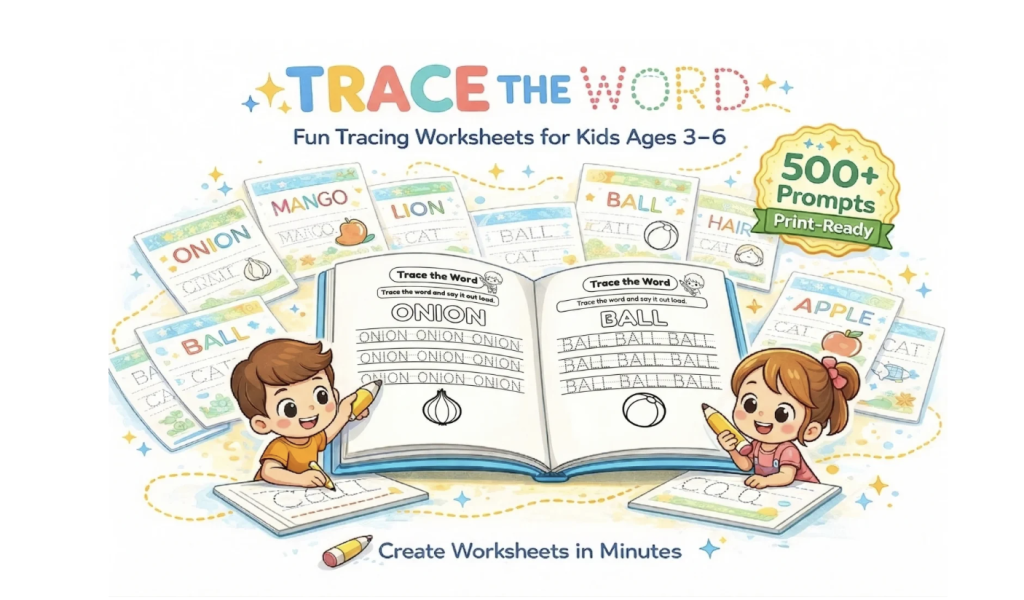
I found the Trace The Word Prompt Pack three days ago. It launched recently, so there are not many real user reviews yet. But the premise was exactly what I needed. 500 prompts with a fixed layout lock. Header. Instructions. Main word. Three tracing rows. Centered illustration. Name and date line. Every single page the same structure.
I decided to test it properly. Here is what I learned.
The Core Benefit Is Not The Prompts. It Is The Consistency.
Most prompt packs give you a list of things to type. This one gives you a system that forces the AI to output a specific layout every time.

That distinction matters more than you might think.
When you use a generic prompt, the AI decides the layout based on its training data. Sometimes you get a good result. Sometimes you get a mess. There is no reliability because the AI is literally guessing what you want.
These prompts are written to override that guessing. Each one contains explicit layout instructions that tell the AI exactly where to place every element. Header at the top. Instructions below that. Main word in bold. Three dotted tracing rows. Illustration centered at the bottom. Name and date line. No borders. Vertical 8.5 x 11 page.
I tested this across 60 worksheets from six different niches. Every single one came back with the correct layout. The only variation was the illustration style, which depends on which AI you use and your settings. But the structure was identical page after page.
For someone creating a workbook, this consistency is the difference between a professional product and something that looks like a collection of random pages.
The pack covers ten niches that actually sell on KDP and Etsy. Farm animals, jungle animals, pets, fruits, vegetables, vehicles, toys, body parts, daily objects, and basic actions. Each niche has 50 prompts, giving you 500 total worksheets.
There is also a bonus of 100 cover prompts designed to match the same ten niches. I tested five of them. They produced clean, bright covers with proper typography and spacing. Nothing ground-breaking, but solid and ready to use without additional design work.
The private label rights are what make this interesting for sellers. You can rebrand the prompts, modify them, and sell the resulting worksheets as your own products. That turns a one-time purchase into a reusable asset you can build a catalog around.
Three Days Of Real Testing. Here Is What Worked And What Did Not.
I want to give you an honest account of using this pack because I know how many prompt-based products overpromise and underdeliver.
Day one was slower than I expected. The prompts themselves are simple to use. You open the PDF, copy the prompt for the word you want, paste it into ChatGPT with DALL-E 3 or Gemini Pro, and generate. That takes about ten seconds.
But I spent the first hour figuring out which AI model gave me the illustration style I wanted for my target audience. ChatGPT with DALL-E 3 produced clean, colorful illustrations. Gemini Pro produced slightly more detailed images. Neither was bad. But I had to pick one and commit to it for consistency across my book.
I also realized that the AI sometimes interprets “simple illustration” differently than I would. So I added a small style instruction at the end of each prompt. “Line drawing style, white background, no shading.” That gave me exactly what I wanted.
By day two, I had refined my process. Copy prompt from PDF. Paste into ChatGPT. Add my style instruction. Generate. Download. Rename file. Repeat. Each worksheet took about fifteen seconds of active work. The AI generation time added another ten to fifteen seconds per page.

I generated 80 worksheets in two hours. That included reviewing each page to make sure the illustration matched the word and renaming files for organization.
By day three, I had a complete 90-page workbook ready. Cover from the bonus prompts. Title page made in Canva in two minutes. 88 tracing worksheets. Compiled into a PDF. Ready for KDP upload.
The learning curve was shallow. If you have ever used ChatGPT, you already know how to use this pack. The only adjustment is getting comfortable with the fixed layout and deciding on your illustration style upfront.
What surprised me most was how little mental energy the process required. Normally, creating worksheets forces you to make hundreds of small decisions. What word comes next. How to phrase the instruction. Where to place the image. What font size for the tracing lines. This pack removes those decisions completely. You just execute.
The downside is that you lose creative control over the layout. The pack is designed for consistency, not flexibility. If you want horizontal pages, two words per page, or a different arrangement of elements, you will need to modify the prompts yourself. That is possible because you have the source text. But it is extra work.
Compared to other methods I have tried, like using generic AI prompts or building templates in Canva from scratch, this pack is significantly faster. But it is also more rigid. That rigidity is a feature for workbook creation. It is a limitation if you want variety across pages.
Pros And Cons From Someone Who Actually Used It
Pros
The layout lock works as promised. Every worksheet follows the same structure without manual adjustment. This alone saves at least thirty minutes per book compared to fixing generic AI outputs.
The 500 prompts are genuinely ready to use. I tested prompts from multiple niches and did not encounter a single broken layout. Copy, paste, generate. That is the entire workflow.
The niche selection is practical. Farm, pets, vehicles, body parts, food. These are the categories that consistently sell on KDP and Etsy. No obscure topics that will sit unsold.
The cover prompts are a useful addition. Not the main value, but having 100 cover ideas saves you from starting from zero in Canva.
Private label rights mean you own what you create. You can rebrand the prompts, modify them, and sell the resulting worksheets as your own products. For 15 dollars, that is significant value.
The price is low enough that the decision is easy. At the current launch price of 14.95, recovering your investment takes one or two worksheet sales depending on your pricing.
The 30-day refund guarantee removes the risk of testing it. If the prompts do not work with your AI tool or the layout lock fails for your use case, you can get your money back.
Cons
You need access to ChatGPT with DALL-E 3 or Gemini Pro. The prompts are useless without an AI image generator. If you do not already pay for ChatGPT Plus or have access to Gemini, you will need to factor in that cost.
The output quality depends on your AI model and settings. I got clean results consistently with ChatGPT Plus. But a colleague testing with a free tier of a different AI got lower resolution images. The prompts cannot fix limitations in the tool you use.
The layout is fixed. Every worksheet looks structurally identical. For a workbook, this is a feature. For someone wanting creative variety, it is a limitation.
The pack launched recently, so there is limited user feedback available. I tested thoroughly, but you are buying based on sample outputs and the logic of the system rather than hundreds of reviews.
50 prompts per niche is enough for a single book or small series. But if you want to build a massive catalog across multiple niches, you may eventually want more variety.
Who Should Buy This And Who Should Skip It
At 14.95, the value calculation is simple. If this pack saves you two hours of manual worksheet creation, and you value your time at even 10 dollars per hour, you have broken even. Everything beyond that is profit.
But I think the real value is not time. It is removing the mental friction of starting from zero. The hardest part of creating a workbook is not the execution. It is the endless small decisions that drain your energy before you even begin. This pack eliminates those decisions.

Perfect for
KDP authors testing the kids workbook niche for the first time. You do not need design skills or complex templates. Just copy, paste, and generate.
Etsy sellers who want to list digital printables without spending hours on layout design. The consistency across pages means your product looks professional from the start.
Teachers who need custom worksheets for their classroom. You can generate exactly the words you need without learning new software.
Workbook publishers scaling across multiple topics. The private label rights mean you can rebrand and sell the resulting worksheets as your own products.
Skip this if
You do not have access to ChatGPT with DALL-E 3 or Gemini Pro. The prompts are the engine. Without the AI tool, they are just text.
You enjoy designing custom layouts and want full creative control over every page. This pack is built for consistency, not creative exploration.
You are looking for a complete done-for-you workbook rather than a system to generate your own. This pack provides prompts, not pre-made PDFs.
Final Thoughts After 90 Pages And Three Days
The Trace The Word Prompt Pack solves one specific problem reliably. It helps you generate consistent, print-ready tracing worksheets without spending hours fixing layouts or learning design skills.
It does not promise to make you rich. It does not claim to replace your creativity. It offers a system that works, tested across 60 worksheets and multiple niches, with consistent results.
What I appreciate most is that the creator understood the real pain point. It is not that people cannot generate one good worksheet. It is that generating fifty consistent ones is exhausting. The layout lock and niche organization directly address that exhaustion.
For 15 dollars, this is a low-risk tool. The 30-day guarantee means you can test it on a real project and decide based on results, not marketing claims. If it saves you time on your first book, it has paid for itself. If it does not work for your workflow, you get a refund.
I am keeping my copy. The private label rights alone make it worth the price for the ability to generate worksheets under my own brand without rebuilding the system every time.
If you create kids content regularly, or even occasionally, this pack will save you more time than it costs. That is the only metric that matters.
You can grab it here if it fits your workflow.
You might also like our roundup of the Best Ebook/PLR Library here!